 RateReviewMe
Give customers
a way to
be heard.
For a small business, a public review can be the first sign that something went wrong. RateReviewMe helps you ask for feedback, hear the good and the bad, and understand what needs attention.
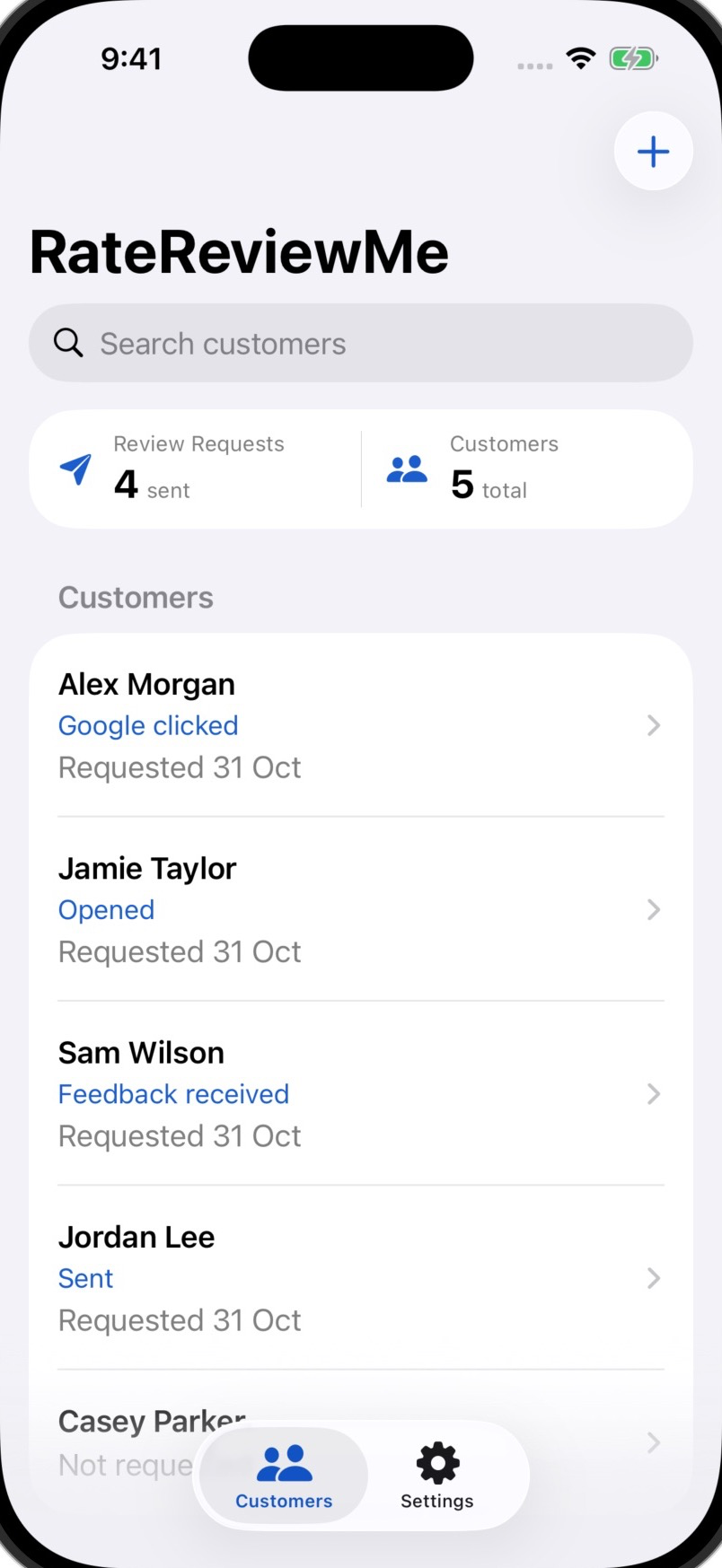
A simple invitation.
Room for the whole story.
Ask while the experience is fresh. Give people a straightforward place to explain, then take the time to listen.
Add your business.
Set up your business and review destinations. Check the name and location so the request feels clear and familiar.
Ask how it went.
Prepare a personal request with a short link. Invite the customer to tell you what worked or what could be better.
Send it yourself.
Check the request in Messages on your iPhone, then choose to send. Customers can share feedback and choose an enabled public review destination.
Read and decide.
See submitted feedback with the request history. You decide what needs attention and arrange any follow-up or fix yourself.
You can’t fix a problem
you haven’t heard about.
Good feedback tells you what to keep doing. Difficult feedback can show you where someone felt let down.
Understand what happened.
Give customers a place to explain in their own words. A rating is a starting point; the detail can help you see what needs a closer look.
Keep the feedback with the request.
Read submitted feedback alongside the customer’s request history and available activity. Keep the context when deciding how to respond.
Make the invitation feel like you.
Pro adds your logo, a custom introduction and saved SMS wording, with Facebook and custom review-provider choices.
A small detail.
A chance to help.
An unclear instruction. A missing item. A rushed handover. What seems easy to fix from your side can shape the customer’s whole experience.
Hearing about it gives you something to understand and, where possible, put right.
Make the follow-up usefulA little more listening.
A useful next step.
Explore all guides A few things
worth knowing.
Simple tools, clear expectations.
Can customers share good and bad feedback?
Yes. The request page gives customers a place to describe their experience. Submitted feedback appears with the request history, so you can read what happened and decide what deserves attention.
Can customers still leave a public review?
Yes. Enabled review destinations remain available whatever star rating a customer selects. The aim is to make it easier to hear them and understand their experience.
Does RateReviewMe handle the fix or follow-up?
You handle any customer conversation or remedy yourself. RateReviewMe keeps submitted feedback with the request history; it does not run an automatic resolution or reminder campaign.
Does RateReviewMe send texts automatically?
No. It prepares a request and opens the iPhone's Messages composer. You check the recipient and message, then choose whether to send. Your normal messaging service and carrier conditions apply.
Can I see whether a customer posted a review?
The app shows request activity, including an opened page or a clicked destination. It cannot confirm publication on Google, Facebook or another review platform. Check the platform directly. Feedback received through RateReviewMe is valuable whether or not a public review follows.
What does Pro add?
Pro supports unlimited new requests, custom SMS wording, review-page branding and introduction, plus additional review-provider choices. The current Free plan supports five new links a month using Google. Check the installed app for available plans, prices and subscription terms.
Can I create a Google review QR code?
You can use Google's own Business Profile tool. Our QR code guide explains how to create and test a shared code. The iPhone app focuses on individual customer requests through Messages.
Where can I get the app?
RateReviewMe is available on the App Store. See what the current release includes.

Give the next customer
a way to tell you.
The good, the frustrating and the small things you can learn from.